What to Do With Old Electronics: Repair, Donate, or Recycle
Compare reuse, repair, secure data removal, and local electronics recycling routes for devices that have reached the end of their use.
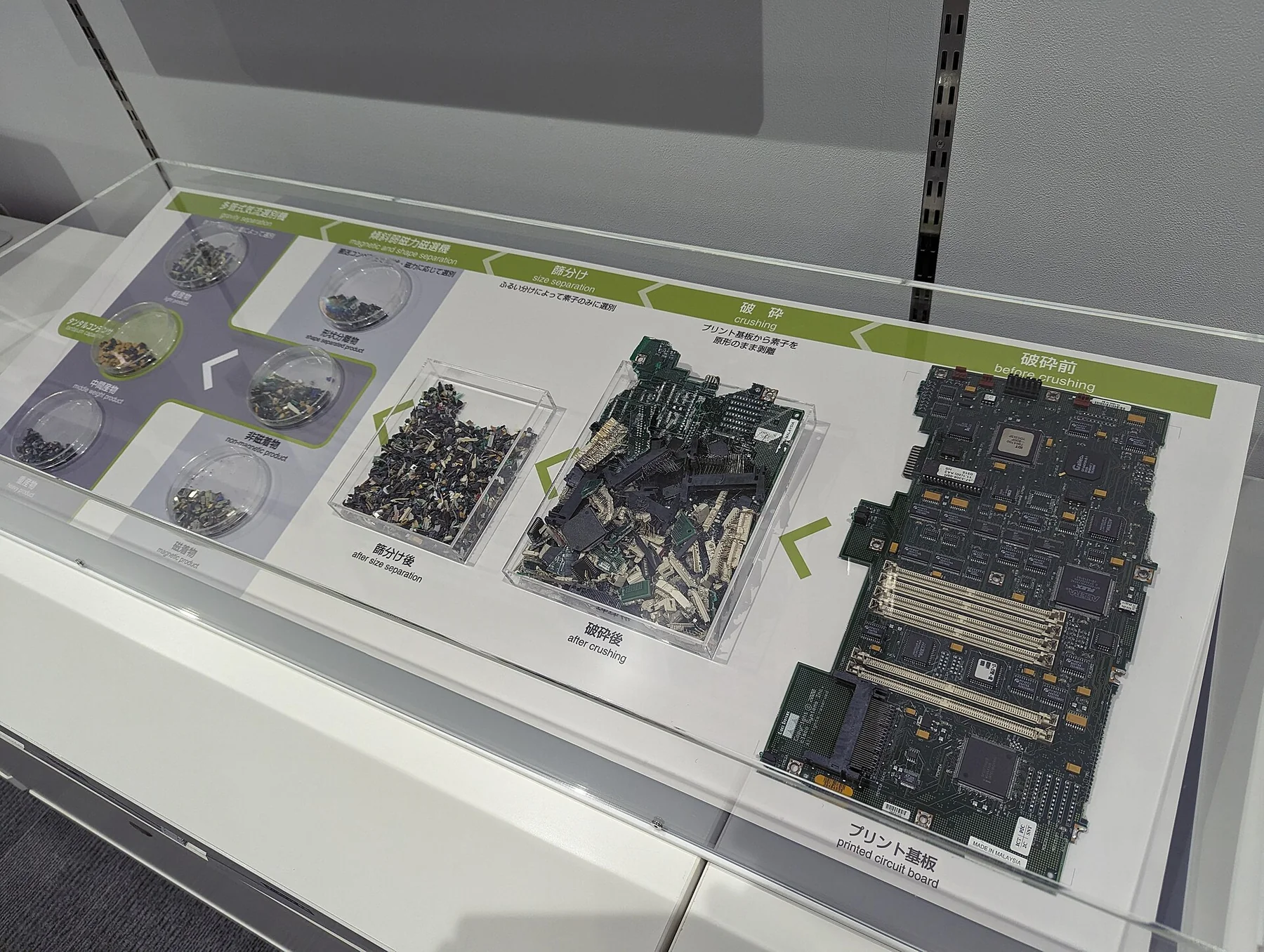
An old phone, laptop, router, or kitchen device can have several possible next steps. It may still serve someone, need a repair, qualify for a trade-in, or require a dedicated electronics collection route. The safest choice depends on its condition, data, battery, local service, and the kind of equipment. Treating every unused device as ordinary rubbish can lose a chance to keep a useful product in service and can put materials into a collection stream that was not designed for them.
Decide whether the device can still be used
Start by checking what is wrong and whether the device remains suitable for its intended user. A computer that runs slowly may need storage cleanup or an upgrade; a phone with a cracked display may be repairable; an appliance with an intermittent fault may need a professional diagnosis. The U.S. Environmental Protection Agency suggests considering hardware or software upgrades before replacing a computer and notes that donating a working device can extend its useful life. These are options to investigate, not a promise that repair will always be affordable or successful.
If you want to donate or sell an item, check that it powers on, includes the parts needed for ordinary use, and is honestly described. Be explicit about faults, missing chargers, locked accounts, or incompatible software. Ask the intended recipient whether it accepts the model and condition. A repair shop, school, nonprofit, or secondhand seller may have requirements that differ from another program. Do not leave a device at a donation site unless it confirms that electronics are accepted there.
For a device that cannot be reused, contact the manufacturer, retailer, local waste authority, or a designated electronics collection program. Some areas operate take-back schemes; others direct residents to municipal depots, scheduled collection events, or approved recyclers. In the United States, EPA links to information about certified electronics recyclers and encourages checking local options. Certification systems such as R2 and e-Stewards are U.S.-recognized examples; readers elsewhere should check which standards or environmental permits their own regulator recognizes.
Protect personal information before transfer
An electronic device may contain account credentials, messages, photos, financial information, location history, or files belonging to other household members. Before you donate, sell, return, or recycle it, decide what data must be preserved and who has authority to erase it. Back up information you need to a secure location, confirm that the backup opens, and then follow the manufacturer’s current instructions for signing out, removing accounts, and resetting the device.
Remove physical storage media only when it is designed to be removed and you can do so safely. A device may use removable memory cards or SIM cards; a modern laptop or tablet may have storage sealed inside. Do not pry open a device to reach a component if doing so could damage a battery or create a hazard. If the information is sensitive, or you cannot verify that it was erased, ask the manufacturer, a qualified repairer, or an authorized data-destruction provider about an appropriate option. Data recovery and deletion practices vary by device and service.
Also remove personal labels and account-linked accessories where appropriate. Unpair the device from other equipment, remove it from account dashboards, and check whether a mobile carrier or school requires a particular hand-back procedure. Keep proof of a trade-in or return until the transaction is complete. These steps are especially useful for devices that still work and will pass directly to another user.
Handle batteries and damaged equipment separately
Many portable electronics contain lithium-ion batteries. EPA warns U.S. households not to place lithium-ion batteries or devices containing them in household rubbish or curbside recycling; its guidance recommends dedicated collection at a battery drop-off or household hazardous-waste facility. This is a U.S. rule of thumb for that battery type, not a universal instruction for every chemistry or jurisdiction. Check the local collection program and the device maker’s directions before transporting or opening equipment.
If the battery is built in, swollen, leaking, unusually hot, or otherwise damaged, do not try to remove it yourself. Stop using and charging the device and contact the manufacturer, service provider, or local hazardous-materials authority for specific instructions. Do not put damaged batteries in an ordinary collection box unless that program confirms it can accept them. If a device has been recalled, follow the recall notice and the local product-safety agency’s instructions.
For ordinary intact devices, avoid dismantling them simply to separate materials. Electronic products can contain a complex mix of components and materials; a specialist recycler can use processes intended for that stream. The International Telecommunication Union’s Global E-waste Monitor tracks global generation, collection, legislation, and infrastructure, and emphasizes the need for better comparable data. That international picture is a reason to consult local information: the available routes and performance of a collection system are not the same everywhere.
Choose a responsible collection route
Ask a collection provider where it accepts devices, which types and conditions it takes, and whether batteries must be removed or left installed. Confirm whether the service refurbishes working items or sends all devices to material recovery. Ask how it handles data-bearing equipment and whether it follows applicable environmental and worker-protection requirements. Keep the answers and any receipt if the device contains sensitive data or is part of a business equipment handoff.
Do not assume that an online listing, “recycling” logo, or convenient drop box proves a destination is appropriate. Check that the site is associated with the manufacturer, retailer, municipal program, or a provider recognized by the relevant regulator. If you cannot verify a route, ask the local waste authority before handing over the item. Rules for commercial or institutional equipment may be stricter than household guidance, so organizations should use their own compliance process.
Make the next replacement easier to maintain
When choosing a future device, compare the availability of replacement batteries, repair services, operating-system support, manuals, and manufacturer take-back options. Save the model number and receipt in a place you can find later. A repairable design does not ensure that a repair will be affordable, but accessible parts and service give you more choices when something wears out. Avoid upgrading a working device solely because a new model is available if the current one still meets your needs.
End-of-life decisions are most useful when they follow the device rather than the slogan. Keep a suitable product in service where possible, protect personal data before transfer, treat batteries according to their chemistry and local rules, and use a verified collection route when reuse is no longer practical. That process respects both the next user and the people handling the material after it leaves your home.
Sources
Continue Your Zero Waste Journey
Ready to learn more? Explore our other guides and tips for sustainable living.